Tesla Wrap Generator
Describe it. Watch your Tesla wear it.
1 free wrap when you sign up · Works with USB and the Tesla app
Every model and year has its own panel layout. Pick yours, from Model 3 to Cybertruck, and the generator loads Tesla's official template for it.
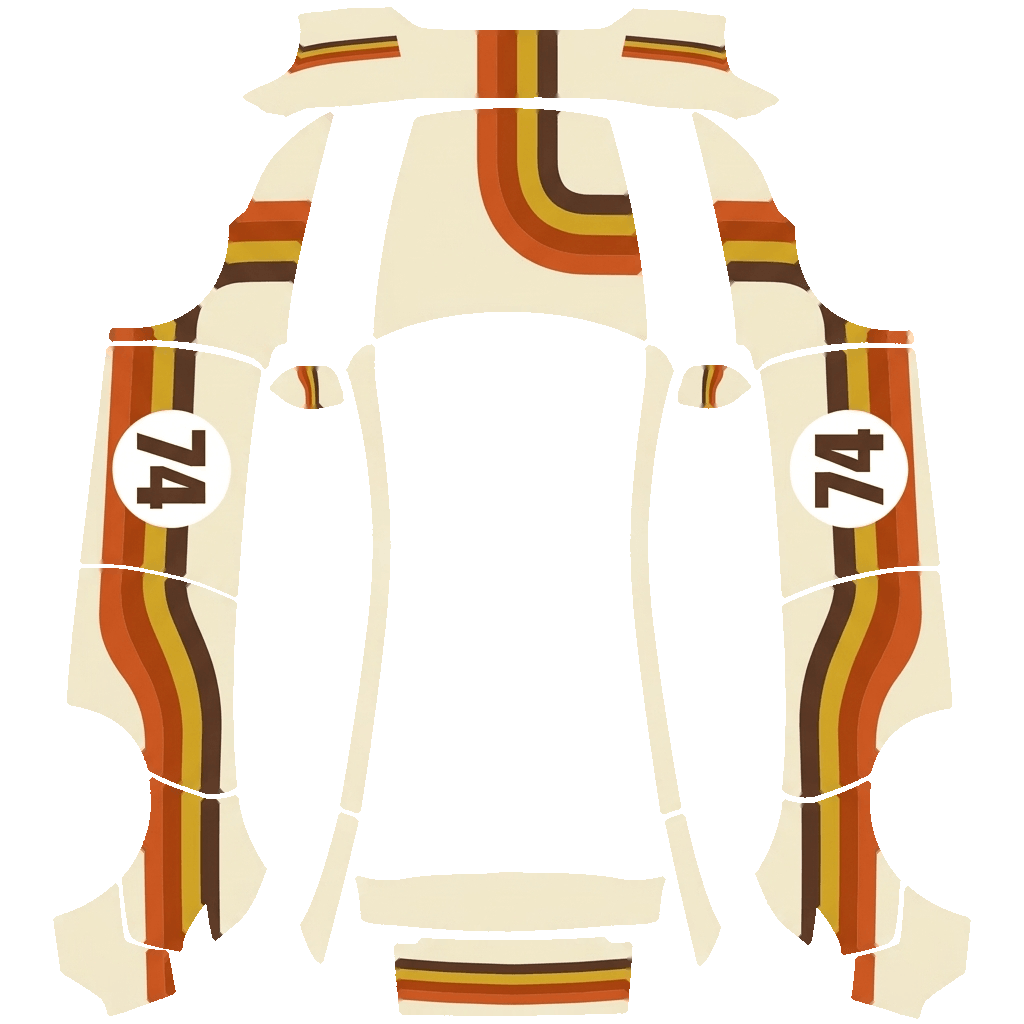
This is what Paint Shop actually reads: the body peeled flat into one 1024-pixel UV map. A random picture never lines up; the generator paints on this map.
Describe it or upload a photo. The AI knows which way each panel faces, so stripes run along the car and characters stay upright across the doors.
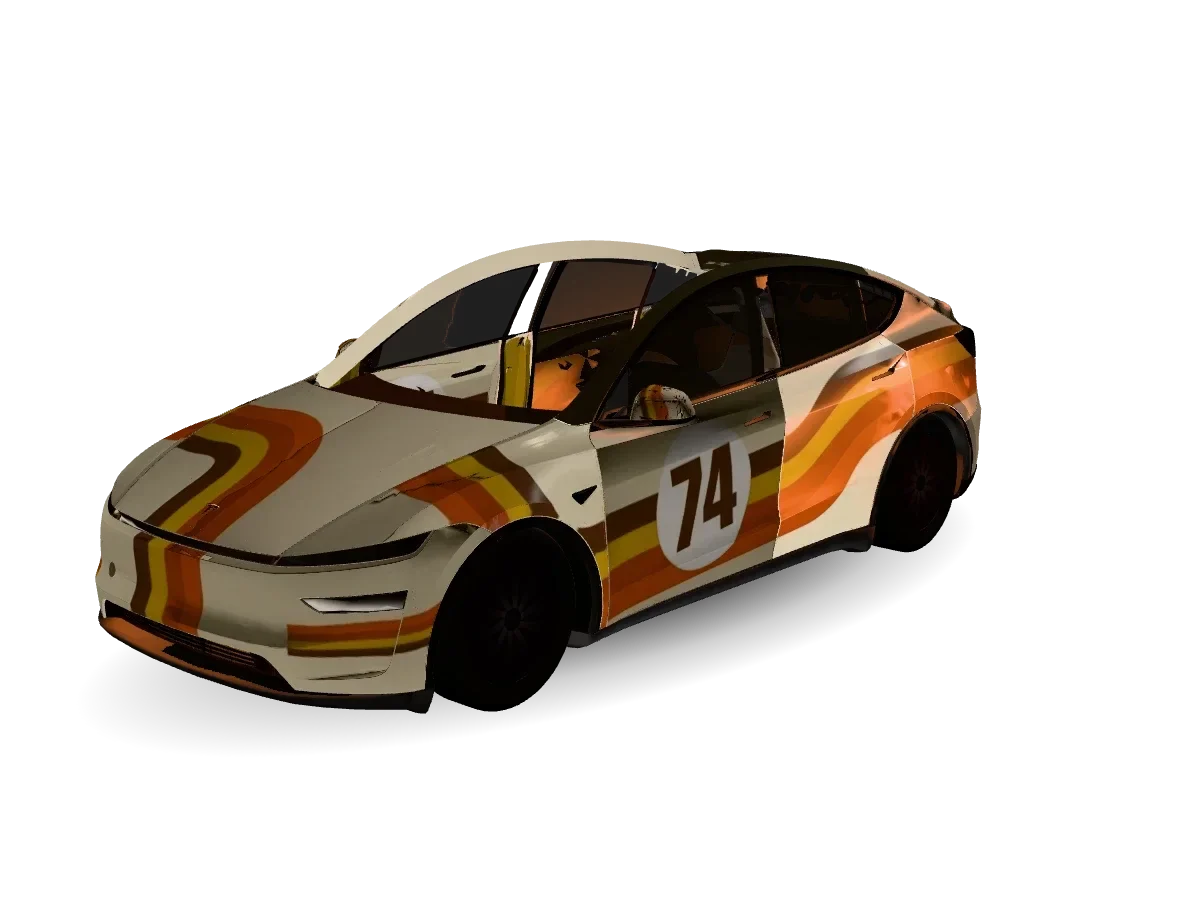
Spin it in 3D, then download a PNG under 1 MB. Tesla app 4.59+: Creations → Wrap → Upload, or copy it to a USB folder named Wraps.
Fresh off the Tesla wrap generator
Wraps Tesla owners made this week. Open one to spin it in 3D, then download the PNG for your model.
More ways to wrap your Tesla
Each tool works on its own page, with the generator built in.
Photo to Tesla Wrap
Turn a photo, logo, pet or painting into a full-body wrap.
Model Y Wrap Generator
Juniper, Standard, Performance, Model Y L and the original Model Y.
Model 3 Wrap Generator
Highland 2024+ and earlier Model 3 templates, preloaded.
Cybertruck Wrap Generator
Flat steel panels, a 1024×768 map and a very different canvas.
Tesla Wrap Templates
Every official Paint Shop UV template, with a panel-by-panel guide.
3D Preview & PNG Fixer
See any wrap on a 3D Tesla and shrink it under 1 MB.
What a Tesla wrap generator actually does
Tesla's Paint Shop lets you restyle the car you see on the touchscreen. The files it accepts are UV textures, not photos, and making one by hand means lining up artwork across more than a dozen oddly shaped panels in Photoshop. A Tesla wrap generator does that part for you: it reads Tesla's official template for your car, paints your idea across the panels, trims everything outside them and exports a file your car accepts on the first try.
- Built on Tesla's official templatesThe same UV layouts Tesla publishes for Paint Shop, one for each model and trim.
- Paint Shop rules handledSquare PNG, 1024 px, under 1 MB, a safe file name. Checked before you download.
- A 3D check before the car sees itSeams, bumpers and door gaps are visible on the 3D Tesla, so surprises stay on your laptop.
Why owners use this Tesla wrap generator
Panels that line up
Stripes run the length of the car and characters stay upright, because the generator knows which way each panel faces on the body.
Every current Paint Shop model
Model 3 and Model 3 Highland, Model Y, Model Y Juniper and Model Y L, Model S, Model X and Cybertruck templates are built in.
Files that just load
PNG, 1024 pixels, under 1 MB and a file name Tesla accepts. No resizing or compression tricks on your side.
Free tools, no account
Download templates, preview any wrap in 3D and fix oversized PNGs without signing up. Sign in only when you want AI generations.
Tesla wrap generator features
Text to wrap
Describe colors, motifs and finish in plain English. Short prompts work best.
Photo to wrap
Turn a photo, a logo, your dog or a painting into a full-body design.
Style presets
Livery, camo, anime, retro, carbon, chrome and more, tuned for car panels.
3D preview
Spin the car, zoom into seams and compare versions before you download.
Template library
All official Paint Shop UV templates, with the panel names marked.
PNG fixer
Resizes, compresses and renames any wrap to meet Tesla's file rules.
Tesla wrap generator FAQ
Is this Tesla wrap generator free?
Templates, the 3D preview and the PNG fixer are free and need no account. AI generations use credits. New accounts get 10 credits, which covers one full wrap.
Does a wrap change my real car's paint?
No. Paint Shop only changes the 3D car on your Tesla's touchscreen and in the Tesla app. For a physical vinyl wrap you still need a wrap shop.
Which Teslas support custom wraps?
Paint Shop wraps work on Model 3, Model Y (including 2025+ and Model Y L), Model S, Model X and Cybertruck with a recent software update. Pick your exact model and year in the generator so the template matches.
How do I put the wrap on my Tesla?
With Tesla app 4.59 or later: Creations → Wrap → Upload. Or copy the PNG into a folder named Wraps on a USB drive formatted exFAT or FAT32, plug it in, then open Toybox → Paint Shop → Wraps.
Why does my wrap look misaligned on the car?
Almost always the template doesn't match the car. The 2025+ Model Y and the earlier Model Y use different maps, and so do the 2024 Model 3 and older ones. Generate again with the right variant selected.
What file does Paint Shop accept?
A PNG between 512 and 1024 pixels (Cybertruck uses 1024×768), no larger than 1 MB, with a file name of up to 30 letters, numbers, spaces, dashes or underscores. The car shows up to 10 wraps from USB and 10 from the app.
Can I use logos or cartoon characters?
Designs are for personal use on your own car's screen. Only upload artwork you have rights to, and keep trademarked logos out of anything you publish to the public gallery.
Is Tesla Wrap Generator made by Tesla?
No. It is an independent tool for Tesla owners and is not affiliated with or endorsed by Tesla, Inc.
Your Tesla has one paint color. The screen doesn't have to.
Open the Tesla wrap generator, describe a look and see it on your car in about a minute.